GoPro Hero 9 Black Video Settings
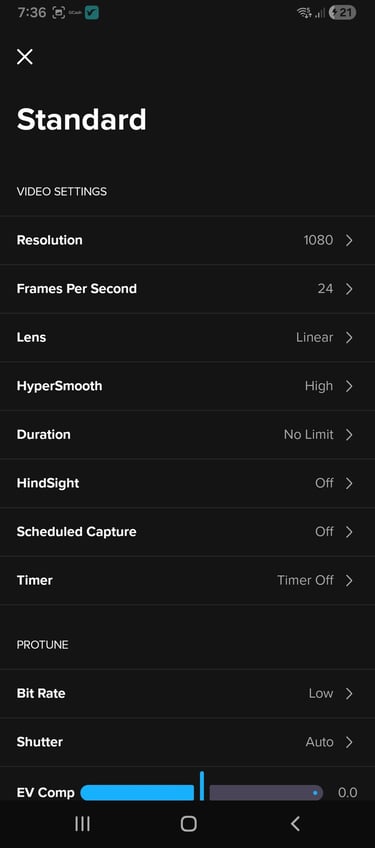
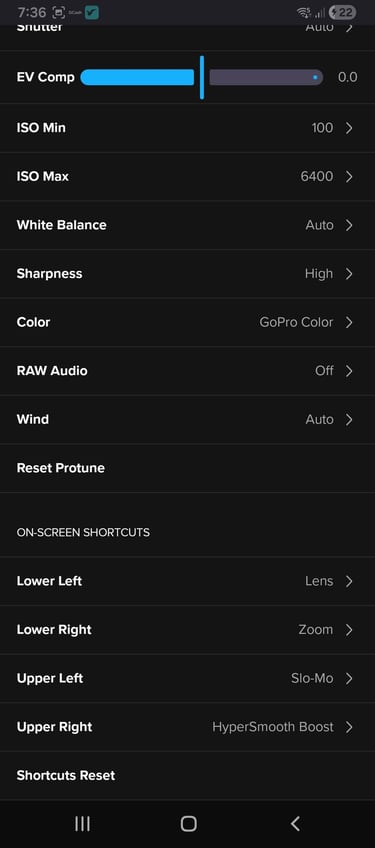
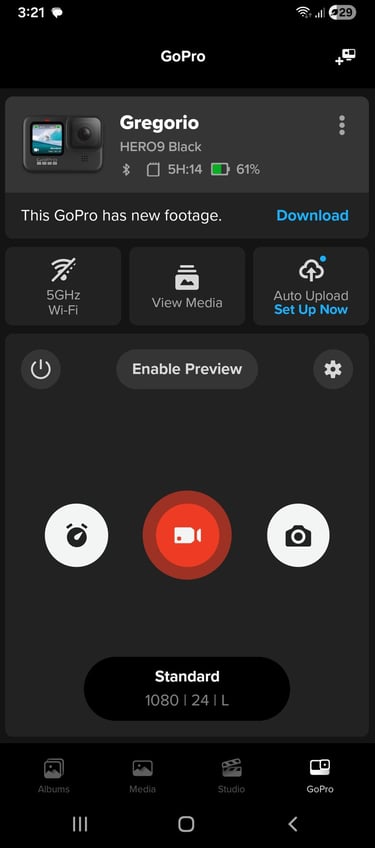
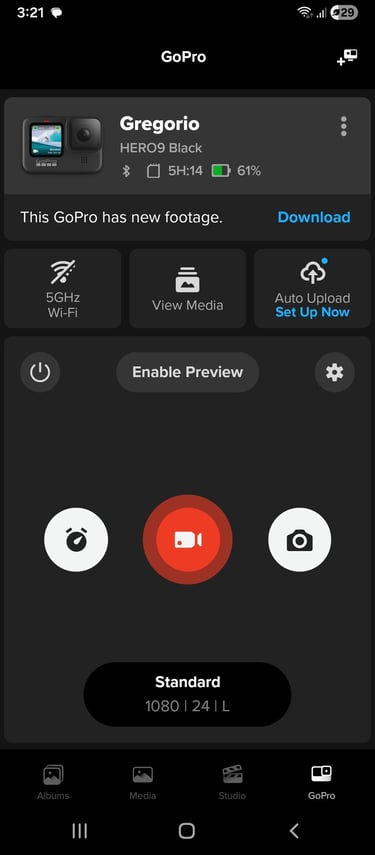
Images were screenshots from GoPro's Quik App.
GOPRO
5/7/20262 min read
Shooting Mode
Slow-Mo - allows users to shoot videos in slow motion.
Video - allows users to shoot videos.
Photo - allows users to take photos.
Video Resolution / Size
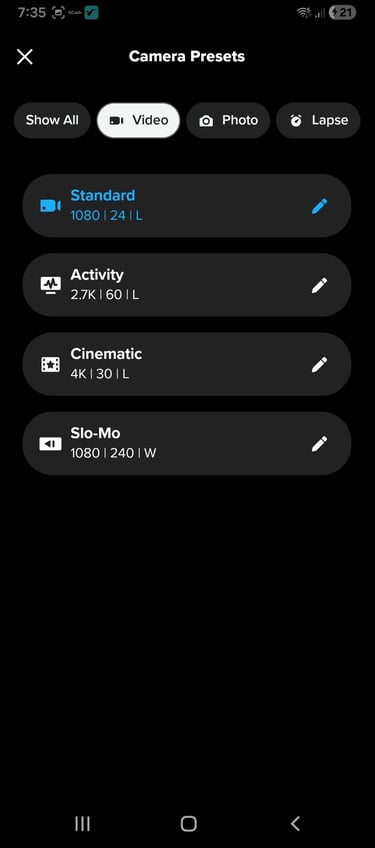
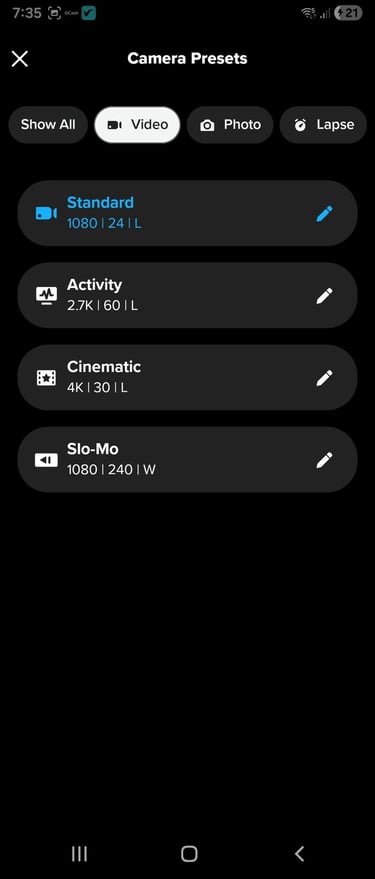
Standard - 1080 Resolution, 24 fps (frame per second); youtube video size.
Activity - 2.7K Resolution, 60 fps; advisable for fast moving scenes like sports.
Cinematic - 4K Resolution, 30fps; used to create high quality videos for large screen TVs.
Slo-Mo - 1080 resolution, 60 fps; select this to create dramatic slow motion scenes.
Video Settings
Resolution | Frame per second (FPS) - 24, 30, 60, 120 and 240 resolutions; depends on the
Lens
Narrow (27mm) - narrow field of view without fisheye effect.
Linear + Horizon Leveling (19-34 mm) - Wide field of view without fisheye effect that helps maintain a level horizon in your footage.
Linear (19-34 mm) - Wide field of view without fisheye effect.
Wide (16-34mm) - Wide field of view.
Superview - Widest and tallest field of view, served up as 16:9 video.
HyperSmooth
Off - Records without video stabilization or cropping.
Boost - Maximum video stabilization with tight cropping.
Duration - Allows you to choose how long you camera records before automatically stopping.
15 secs
30 secs
1 min
5 min
15 min
30 min
1 hr
2 hrs
3 hrs
Hindsight - Allows users to start video with 15 or 30 seconds of footage captured by the camera before pressing the shutter button to record.
Schedule Capture - allows you to select time to capture videos.
Timer - sets the GoPro to capture 3 or 10 seconds after the Shutter button is pressed. Great for selfies.
Zoom - Enables zoom in or out up to 2.0x
Protune
Bit Rate - Use high bit rate up to 100 Mbps (2.7K and up resolutions only) for optimal image quality.
Shutter - Lets your GoPro automatically set how long the shutter stays open for you shot. Adjusting the Shutter could affect stabilization in low light.
Auto
1/24
1/48
1/96
1/192
1/384
Exposure Value (EV) Compensation - set the brightness of your photos and videos. Adjusting EV Compensation could affect stabilization in low light.
ISO Min - Set the minimum ISO value. Adjusting ISO Min could affect stabilization in low light.
ISO Max - Set the maximum ISO value. Adjusting ISO Max could affect stabilization in low light.
100
200
400
800
1600
3200
6400
White Balance - defines the color tone of photos and videos. Ranges from 2300K (cool tone) to 6500K (warm tone)
Sharpness - set the level of detail captured in your photos and videos to low, medium or high.
Color - Captures photos and videos with the standard GoPro color-corrected profile.
Raw Audio - Creates a RAW audio track with minimal, moderate, full processing.
Wind - Filters out excessive wind noise.
Reset Protune - resets setting into default configuration
On-Screen Shortcut
Sets the shortcuts on the GoPro screen.
Placement
Lower Left
Lower Right
Upper Left
Upper Right
Shortcut Reset